Build your aftercare once. Send it in 30 seconds.
Afterly turns your aftercare instructions into a personal day-by-day plan for every client — and keeps each client’s history, check-ins and photos in one place.
Download on the App Store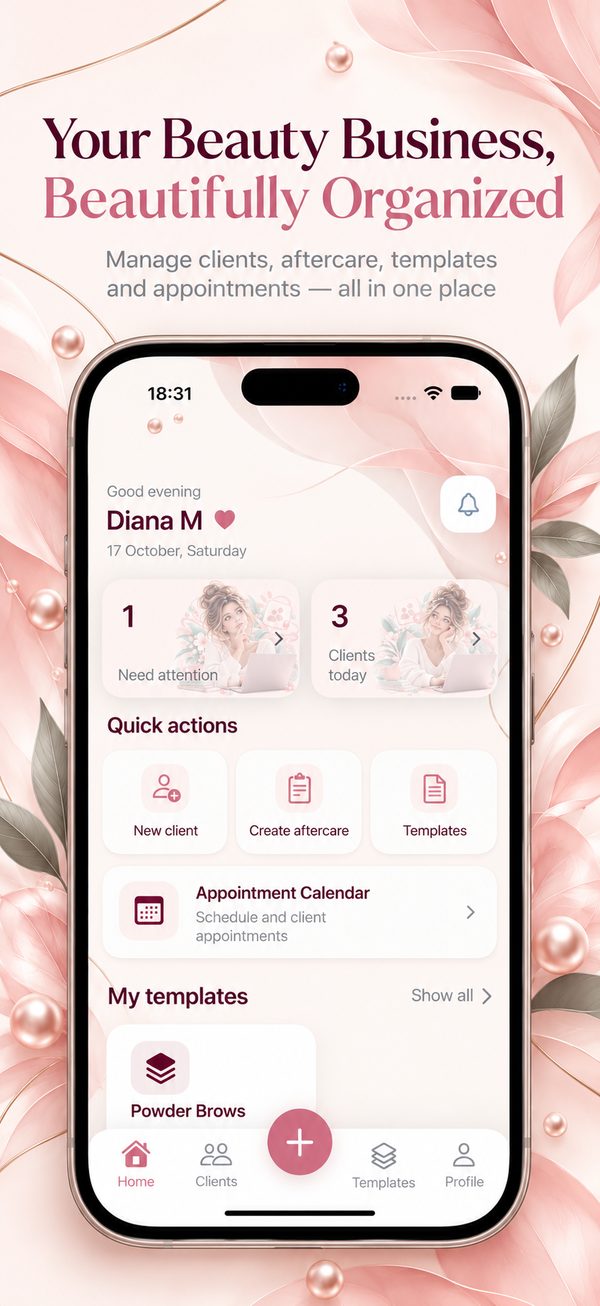
Sound familiar?
You explain everything after the appointment. By day two it’s forgotten — and months later you can’t remember what you did.
How Afterly works
Set it up once. After that, every appointment takes about 30 seconds.
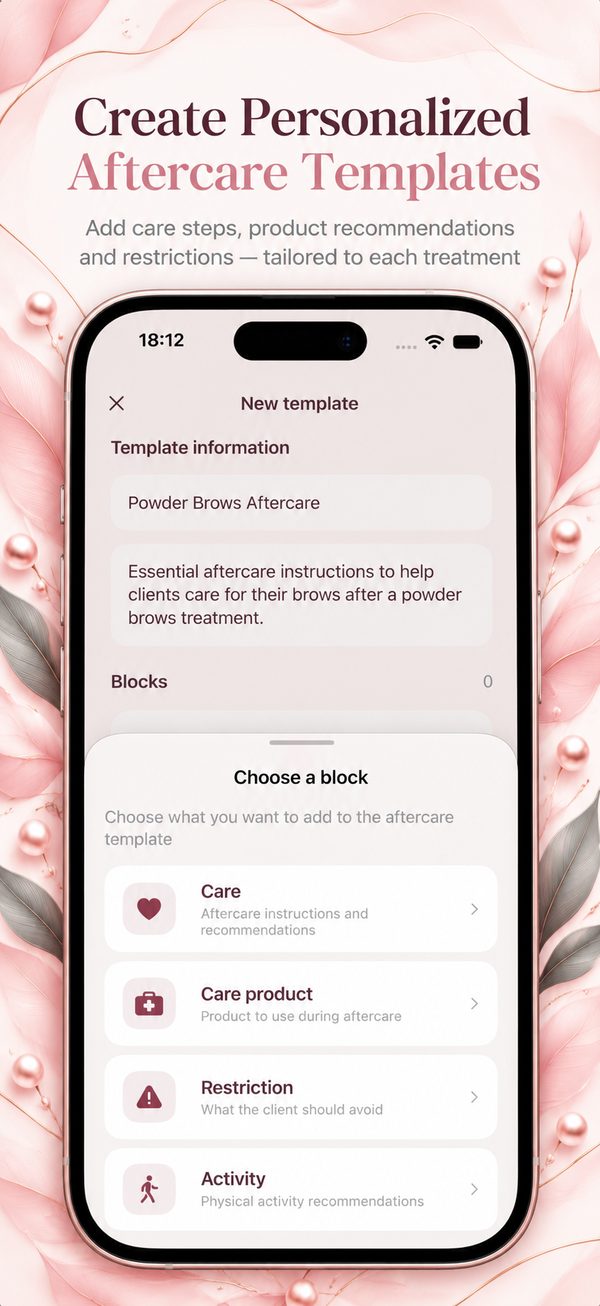
Build your template once
Care steps, products, restrictions, activity, photo check-ins and questions — each set for the right day and time.
Assign it in 30 seconds
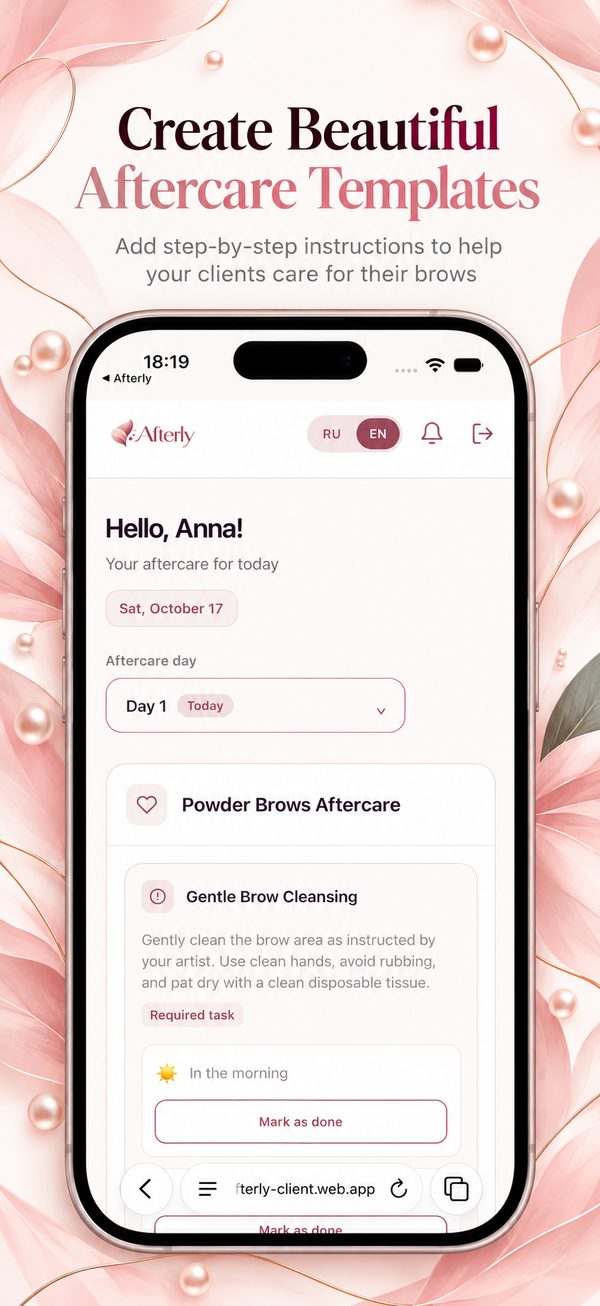
Pick the client, pick the template, send the link. She opens it in any phone’s browser and sees her own plan, with her name.
Stay in the loop
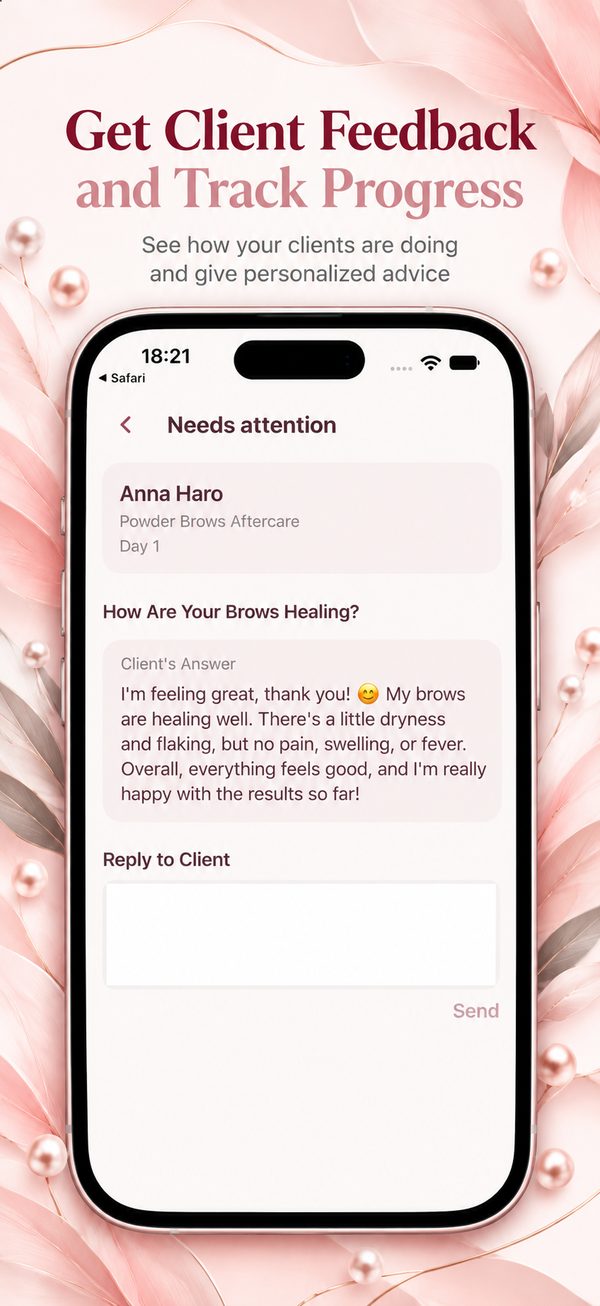
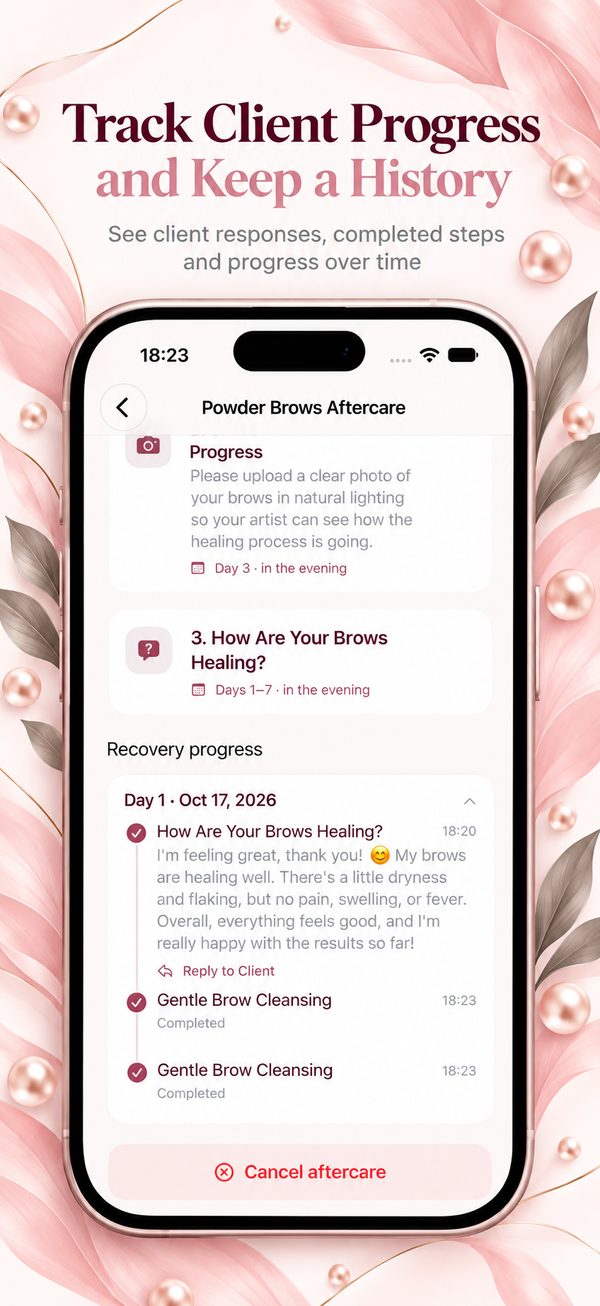
She marks steps as done and sends answers and photos. Anything that needs you lands in “Needs attention” — and you get notified.
Not another chat. A system.
Keep chatting with clients wherever you like. Afterly keeps the part that shouldn’t get lost.
Aftercare in messengers
- The same long text, retyped or copy-pasted every time
- Instructions get buried under other messages
- Chats get cleared, phones change, history disappears
- No idea who followed the plan and who didn’t
Aftercare in Afterly
- One template, reused for every client
- A clear plan for each day: what to do, what to avoid
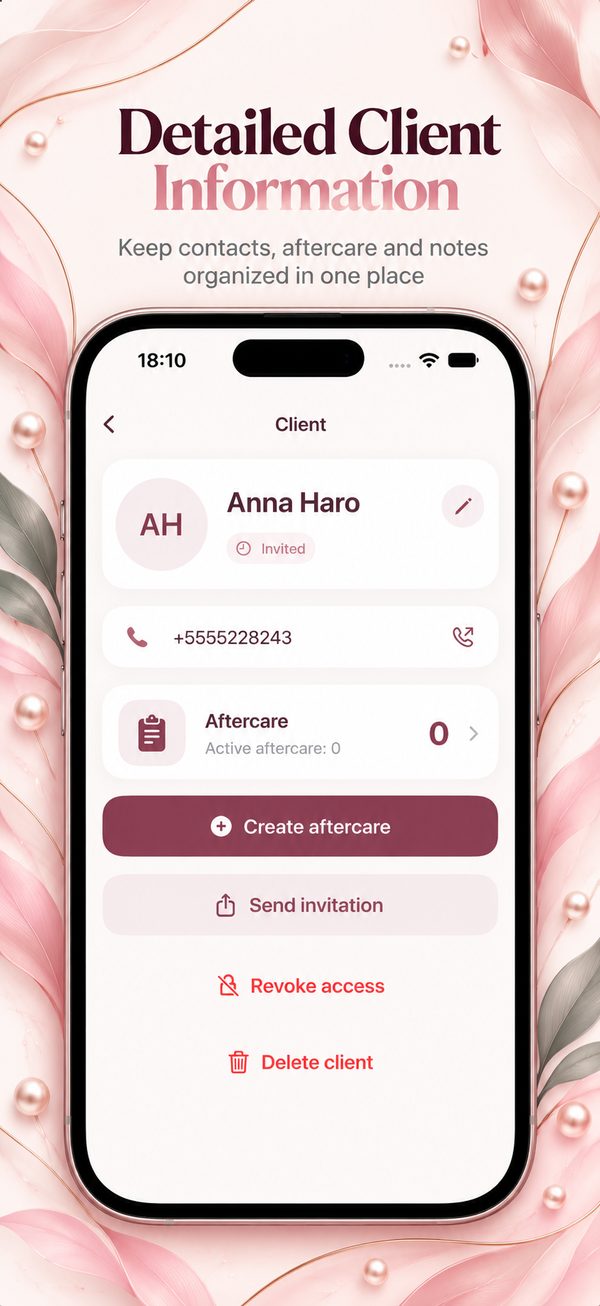
- Each client’s card keeps every procedure, plan and photo
- See completed steps, answers and photos at a glance
Everything in one place
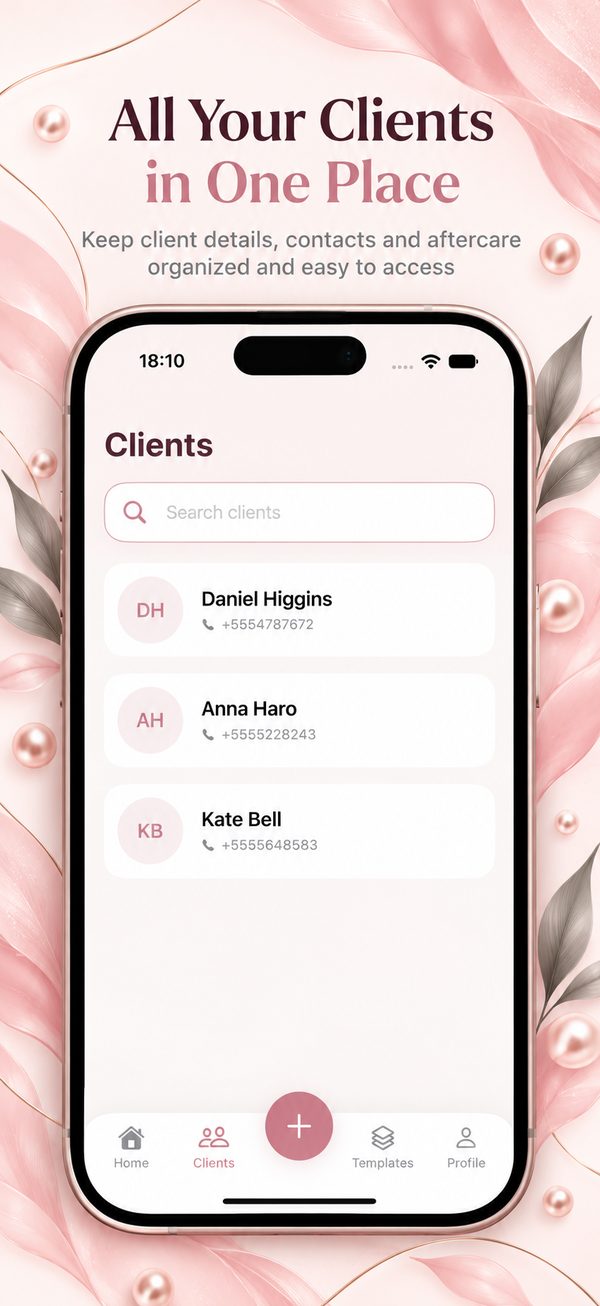
Clients, aftercare, templates and appointments.
Made for
Any procedure where healing depends on what the client does at home.
Questions
Does my client need to download an app?
No. She gets a link and opens it in the browser on any phone — iPhone or Android. She can switch between English and Russian.
How much does it cost?
Afterly is free forever for up to 3 clients, so you can try it with real clients. For more clients there’s a subscription in the app.
Are there ready-made templates?
You build your own — every artist has her own protocol and products. You do it once, then reuse the template for every client.
Who gets notifications?
You do. When a client sends an answer or a photo, it appears in “Needs attention” and you’re notified. The client sees your reply when she opens her plan.
Which phone do I need?
The app for beauty pros is on iPhone (App Store).
Give every client a plan she’ll actually follow
Free for your first 3 clients. Set up your first template tonight.
Download on the App Store